Why Every Small Business Needs a Power BI Dashboard

If “checking the numbers” at your business means opening five different logins and a master spreadsheet that someone updates manually, a Power BI dashboard can save hours every week — and surface insights that spreadsheet never would.

Spreadsheets Are Holding You Back

Spreadsheets are flexible, familiar, and free — which is exactly why so many businesses run on them long after they've outgrown them. The problem isn't the spreadsheet itself; it's everything around it: manual data entry, version control chaos (which file is the latest?), and formulas that quietly break when someone adds a row in the wrong place.

Power BI connects directly to your data sources — your CRM, e-commerce platform, accounting software, ad accounts, and more — and refreshes automatically, eliminating the manual copy-paste cycle entirely.
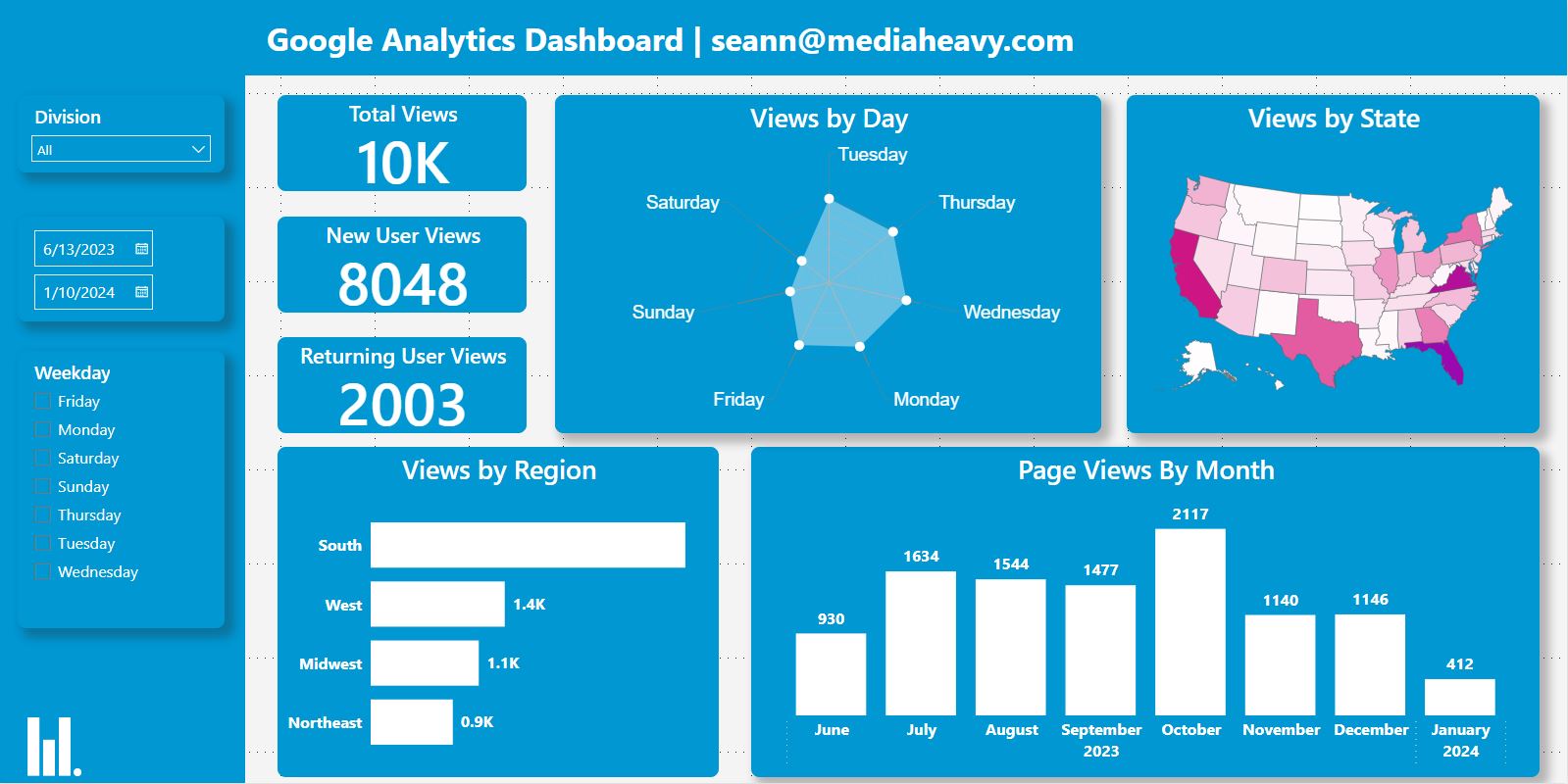
Power BI overview dashboard for small business

What a Power BI Dashboard Actually Does

At its core, a Power BI dashboard pulls data from one or more sources, organizes it into a clean model, and presents it as interactive charts, tables, and KPIs — the kind you can click into, filter, and explore rather than just stare at.

Instead of asking someone to “pull the numbers” before a meeting, your team opens a dashboard that's already up to date, filters it to the time period or segment they care about, and gets answers in seconds.

Common Dashboards Small Businesses Use

The most common starting points we build for clients include:

Sales dashboards — revenue, units sold, top products, and trends by region or salesperson.
Marketing dashboards — website traffic, ad performance, email and SMS metrics, all in one view.
Financial dashboards — revenue vs. expenses, profitability by category, and cash flow trends.
Operations dashboards — inventory levels, order fulfillment times, and staffing or capacity metrics.

Getting Started Without an In-House Data Team

You don't need a dedicated analyst to benefit from Power BI — you need someone to do the upfront work of connecting your data sources, cleaning and organizing the underlying data (data governance again), and designing dashboards around the decisions your team actually needs to make.

From there, the dashboard maintains itself, refreshing on a schedule so your numbers are always current — and giving your team a single source of truth instead of five different spreadsheets with five different answers.

Tired of Building the Same Report Every Month by Hand?

We'll connect your existing tools to a custom Power BI dashboard so your numbers update themselves — book a free discovery call to get started.

Book Your Free Discovery Call Read More Articles